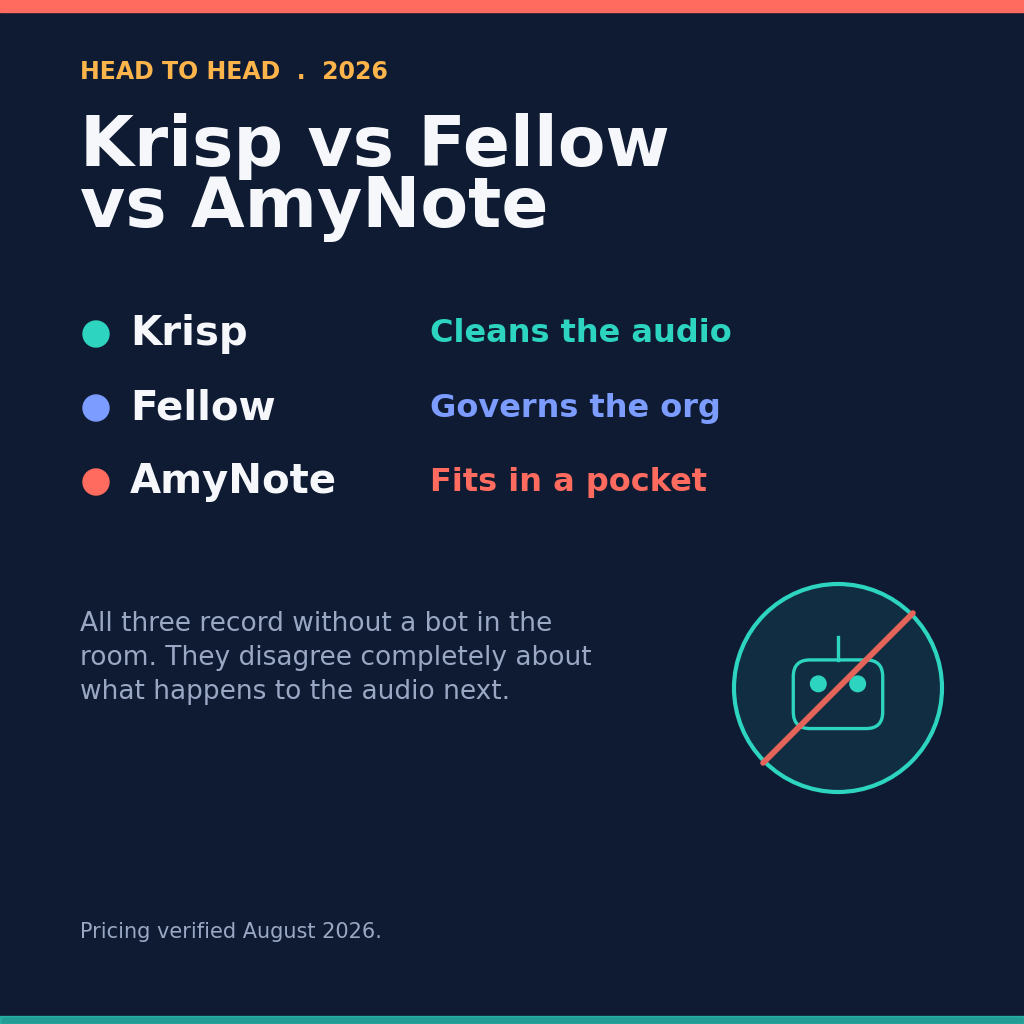
Most AI meeting tool comparisons spend half their length on one question: does a bot join your call and announce itself to the room? Jamie, Krisp, and AmyNote all answer no. They capture device audio or record on your phone, so nothing appears in the participant list.
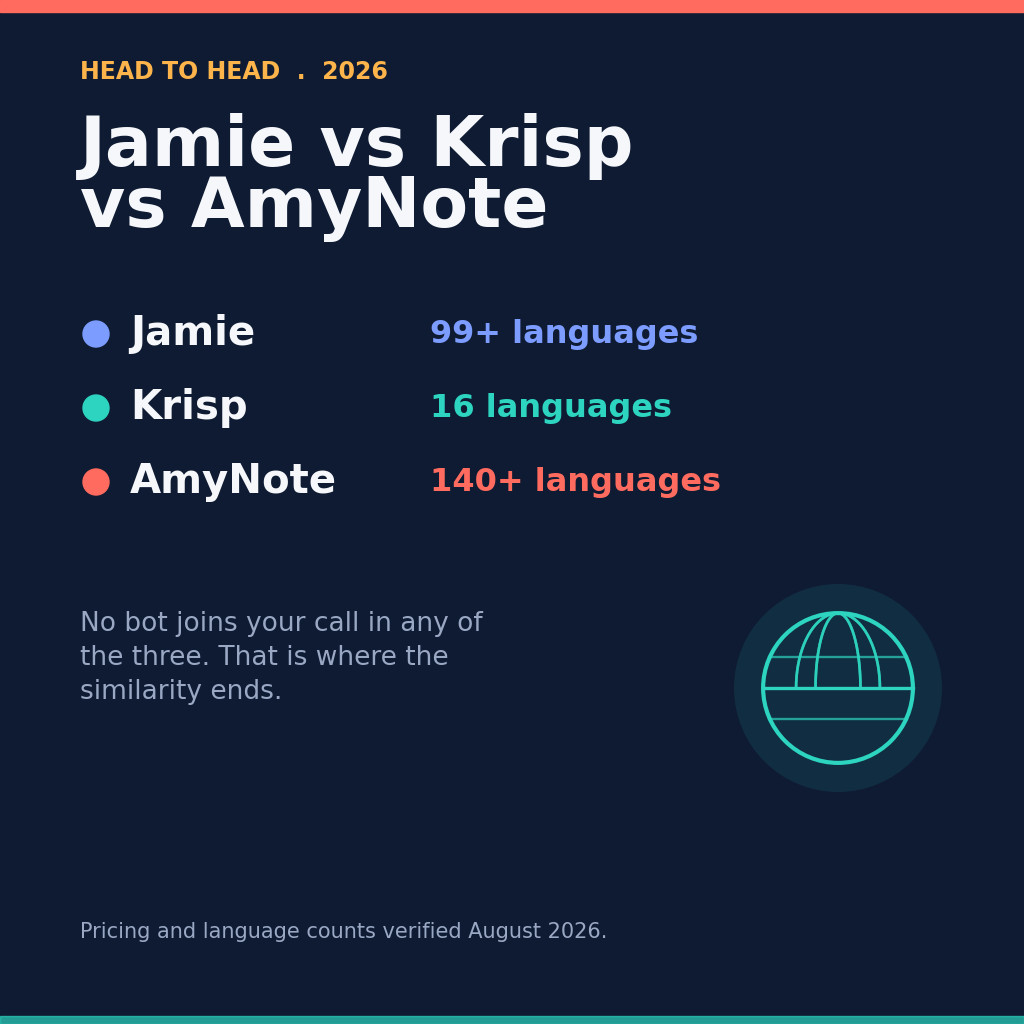
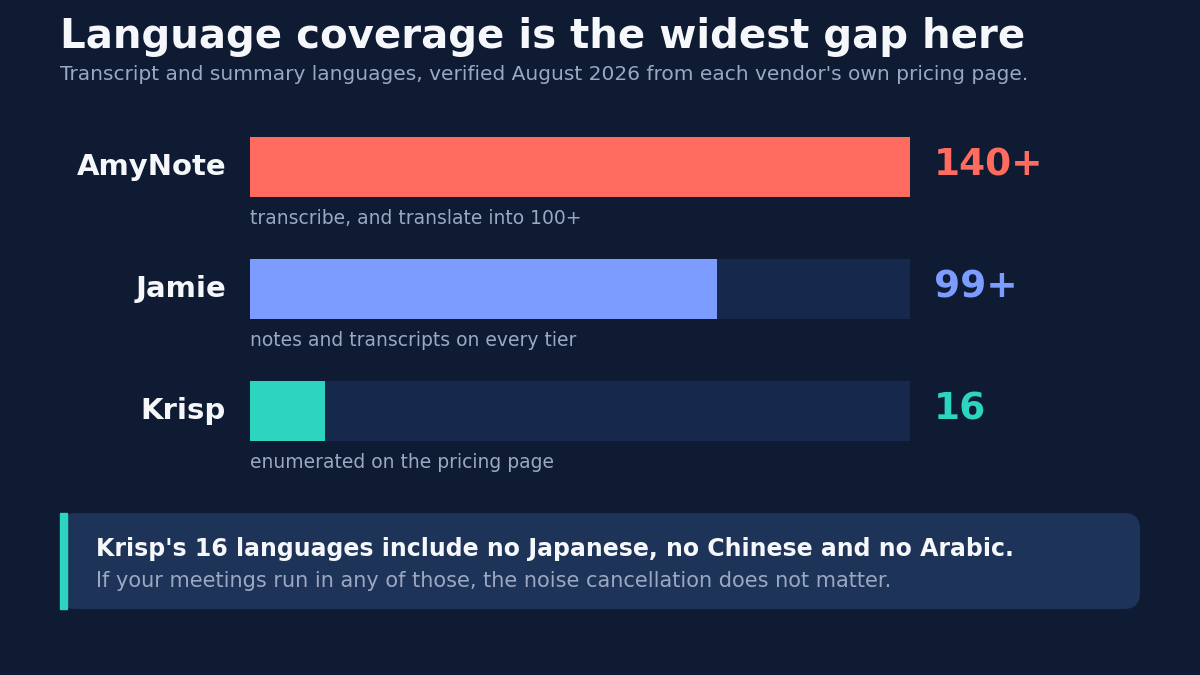
Once the bot question is settled, you have to look at what these tools actually do differently — and they differ enormously. One of them supports 16 languages. One of them supports 140 plus. One of them will clean up your audio in real time and the other two will not touch it.
All pricing and feature details below were verified in August 2026 against each vendor’s own pricing page.
The Quick Verdict
Pick Jamie if you want a real free plan and EU data residency. It is the only one of the three with a perpetual free tier, and its privacy paperwork is the strongest here.
Pick Krisp if your real problem is audio quality, not note-taking. Noise cancellation is the original product, included in every plan. Nothing else here does it.
Pick AmyNote if your meetings are multilingual and you are tired of per-seat math. It has the widest language coverage of the three, and it charges one flat price per account rather than per person.
None of the three wins outright. The right answer depends entirely on which constraint bites first — and for most teams, only one of them really does.
What We Compared
Pricing, plan caps, language coverage, platform availability, and privacy posture, taken from each vendor’s live pricing page and feature matrix in August 2026. Jamie prices in euros; Krisp and AmyNote price in dollars, so cross-currency comparisons below are approximate rather than exact.
What this does not include is an accuracy benchmark. Transcription quality depends too heavily on your audio, your accents, and your vocabulary for a single number to mean much, and any figure we published would tell you more about our test recordings than about your meetings.
Jamie: Strengths and Weaknesses
Jamie captures device audio from a desktop or mobile app, so online calls, hybrid rooms, and fully in-person conversations all work the same way. There is no distinction in the product between a Zoom call and a conference table, which is unusual at this price point.
Strengths:
- A genuinely free tier. Ten meetings a month with a 30 minute ceiling, and it does not expire. Both rivals here offer only a trial clock.
- In-person recording on every tier, including free, which most rivals gate behind a paid plan.
- 99+ languages for notes and transcripts on all tiers, plus speaker recognition with cross-meeting memory.
- The strongest privacy paperwork here. EU hosting with full data residency, GDPR compliance, ISO 27001, no model training on customer data, and meeting audio deleted after transcription.
- Four platforms: Mac, Windows, iOS, and Android.
Weaknesses:
- It rations meetings, not minutes or seats. Free gives 10 meetings a month at 30 minutes each. Plus, at EUR 21 a month annually, gives 20 meetings at 2 hours. Only Pro removes the cap.
- Pro is the most expensive individual plan here at EUR 39 a month annually, or EUR 47 monthly. Team is EUR 33 per seat annually.
- SOC 2 Type II is listed as pending, not achieved. If procurement requires the certificate today, this is a blocker regardless of how good the rest of the paperwork looks.
- No video recording, and MCP connectors plus Salesforce and HubSpot require Pro or above.
The meeting cap deserves a second look, because it is the most unusual meter in this comparison. A team that holds four short standups a week will exhaust the free tier before the month ends, while a team holding two long strategy sessions will not come close. The number that matters is not how many hours you meet but how many separate calendar entries you create.
Krisp: Strengths and Weaknesses
Krisp started as noise cancellation middleware and grew a meeting assistant on top. That history explains both what it is unusually good at and where it falls short, and it is the most useful lens for reading its feature list.
Strengths:
- Real-time noise cancellation on every plan. Nothing else here offers it, and it improves every downstream transcript rather than just the listening experience.
- The cheapest entry point: Core is 8 dollars per seat per month annually, with unlimited transcription, AI notes, and recording.
- Flexible capture. Bot-free by default, but Krisp will also join with a bot if you want one, supports in-person meetings, records video, and accepts uploaded audio.
- MCP integration on the entry tier, connecting Claude, ChatGPT, and Cursor, plus custom vocabulary and AI chat.
- Real compliance credentials: SOC 2 Type II and GDPR, with HIPAA and BAA signing at enterprise level.
Weaknesses:
- Sixteen languages. The pricing page enumerates them: English, French, German, Italian, Dutch, Polish, Portuguese, Russian, Spanish, Hindi, Danish, Swedish, Norwegian, Czech, Ukrainian, and Korean. No Japanese, no Chinese, no Arabic. That is the narrowest coverage of any major tool in the category, and no amount of audio cleanup fixes it.
- The free plan is now a 7 day trial, not a perpetual tier. No credit card required, but the clock runs.
- Monthly billing costs exactly double. Core is 8 dollars annually or 16 monthly; Advanced is 15 or 30. Storage is capped at 10 GB on Core, 60 GB on Advanced.
- Gating adds up. Salesforce and ConnectWise need Advanced. SSO, SCIM, HIPAA, and on-device private transcription are enterprise only.
AmyNote: Strengths and Weaknesses
AmyNote is a phone-first recorder built on the assumption that the meetings that matter most are the unscheduled ones — the corridor decision, the client lunch, the site walk where nobody thought to open a laptop.
Strengths:
- The widest language coverage here by a large margin: 140+ languages for transcription and translation into 100+, with particular strength in East Asian and Arabic languages.
- Flat account pricing. 99 dollars a year is roughly 8.25 dollars a month and does not multiply by headcount. No seats, no meeting counts, no minute caps. Weekly is 12.99 and monthly is 19.99.
- Speaker identification with cross-meeting memory. Name a speaker once and AmyNote recognizes them later.
- Privacy architecture. Transcription runs through OpenAI’s Speech API and AI analysis is powered by Anthropic’s Claude Opus. Both contractually guarantee zero training on user data. Audio is encrypted in transit and not retained after processing. Transcripts are stored locally on the device with end-to-end encryption.
Weaknesses, stated plainly:
- iOS only. No Android app, no desktop app. If your workflow lives on a Windows laptop, AmyNote is not for you.
- No CRM integrations. No Salesforce, no HubSpot. Krisp and Jamie both offer them on paid tiers.
- No video recording and no noise cancellation.
- A 3 day trial, not a free plan. Jamie’s free tier is genuinely more generous for light users.
- No team or admin features: no seat management, no SSO, no shared workspace.
The Same Job, Three Different Meters
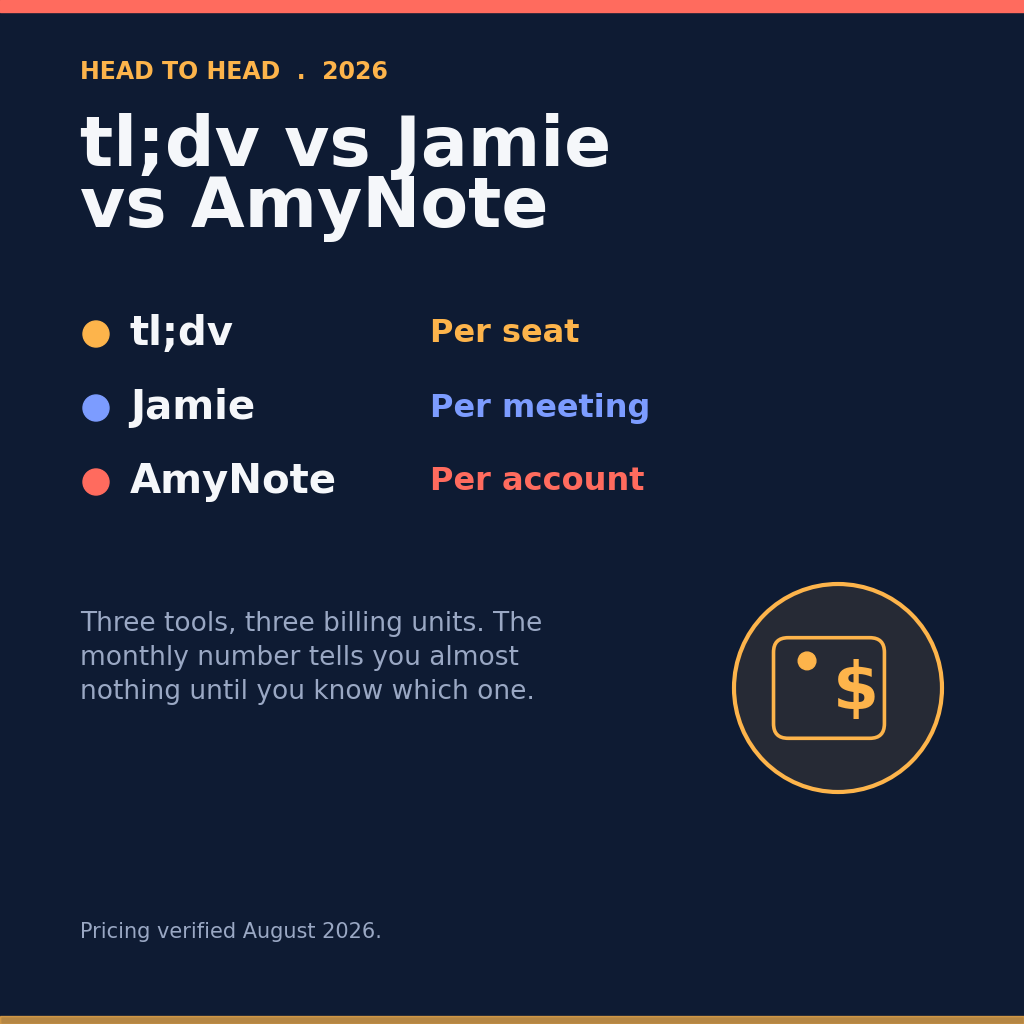
The prices above are not directly comparable, because the three vendors are not selling the same unit. Jamie bills the person, Krisp bills the seat, AmyNote bills the account — and that distinction changes the answer as soon as more than one person is involved.
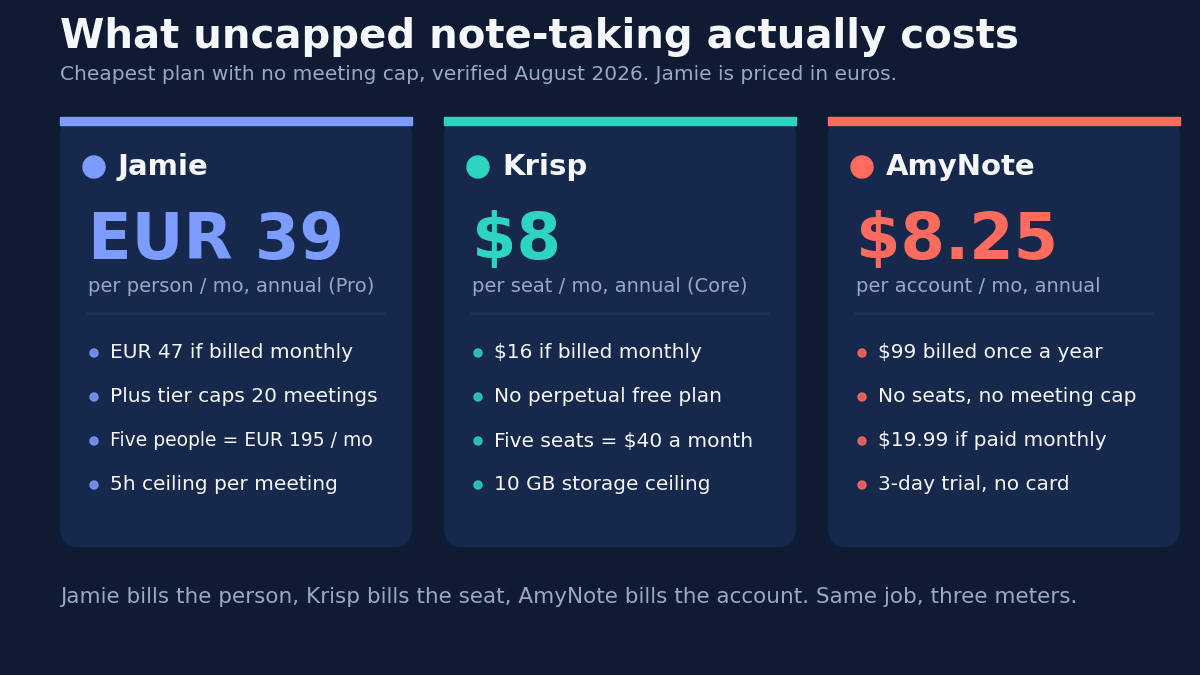
At one user the three uncapped plans are close enough that the meter is invisible. At five, the arithmetic from those published prices reads EUR 195 a month for Jamie Pro, 40 dollars for Krisp Core, and the same 8.25 for AmyNote. The gap is not a discount or a promotion — it is the billing unit doing its work, and it widens with every person you add.
That cuts both ways, and it is worth being clear about the direction. A single user who meets rarely pays nothing on Jamie’s free tier and 99 dollars a year on AmyNote. Flat pricing is only an advantage once there is a team, and only if that team is on iOS.
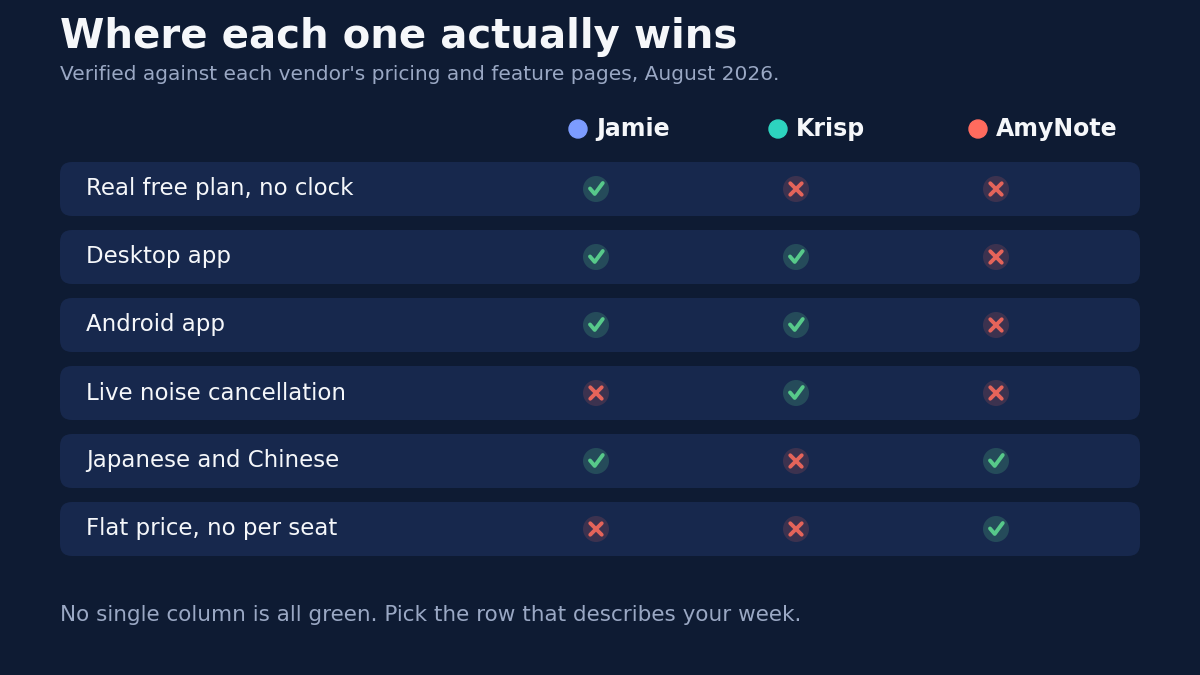
Side by Side
- Cheapest uncapped plan: AmyNote at roughly 8.25 dollars a month flat, Krisp Core at 8 dollars per seat, Jamie Pro at EUR 39 per person.
- Free tier: Jamie 10 meetings a month forever, Krisp 7 day trial, AmyNote 3 day trial.
- Languages: AmyNote 140+, Jamie 99+, Krisp 16.
- Platforms: Jamie and Krisp cover desktop and mobile, AmyNote is iOS only.
- Noise cancellation: Krisp only. Video recording: Krisp only.
- Billing unit: Jamie charges per person, Krisp per seat, AmyNote per account.
- Certifications today: Krisp holds SOC 2 Type II, Jamie holds ISO 27001 with SOC 2 Type II pending.
The Bottom Line
These three tools solve three different problems that look almost identical from the outside, which is why the category is so confusing to shop for.
Jamie is the safest institutional choice in Europe, provided your meetings fit its caps or you can justify Pro. The EU residency and ISO 27001 answer the questions procurement asks first, and the free tier means a skeptical team can evaluate it without a purchase order.
Krisp is the right call when the audio itself is the bottleneck — open-plan offices, poor headsets, roadside calls — as long as your team works in one of its 16 languages. That language list is the hard boundary, and it is not one that improves with a higher tier.
AmyNote is the answer when your conversations are multilingual, unscheduled, and happening in a room rather than on a call. It is also the answer when you have simply stopped wanting to do seat math every time someone joins the team. The iOS-only constraint is the price of that.
The honest test is simple. Count the languages your meetings run in, the people who need an account, and how many important conversations happen away from a laptop. Those three numbers will pick the tool faster than any feature matrix. AmyNote offers a 3 day free trial with no credit card if you want to check the language coverage against your own recordings.
Originally published as an X Article by @AmyNoteApp.