Three teams shop for the same thing and end up in completely different places.
A 200-person company with a compliance officer needs recordings that never leave organizational control. A two-person consultancy running client calls in Japanese and English needs cheap minutes and good translation. A therapist, a recruiter, or a field researcher needs a phone in a room with another human being, and nothing else.
Fellow, Notta, and AmyNote each serve one of those buyers well and the other two badly. The useful question is not which is best, but which buyer you are. All prices below were verified against vendor pricing pages in August 2026.
Quick Verdict
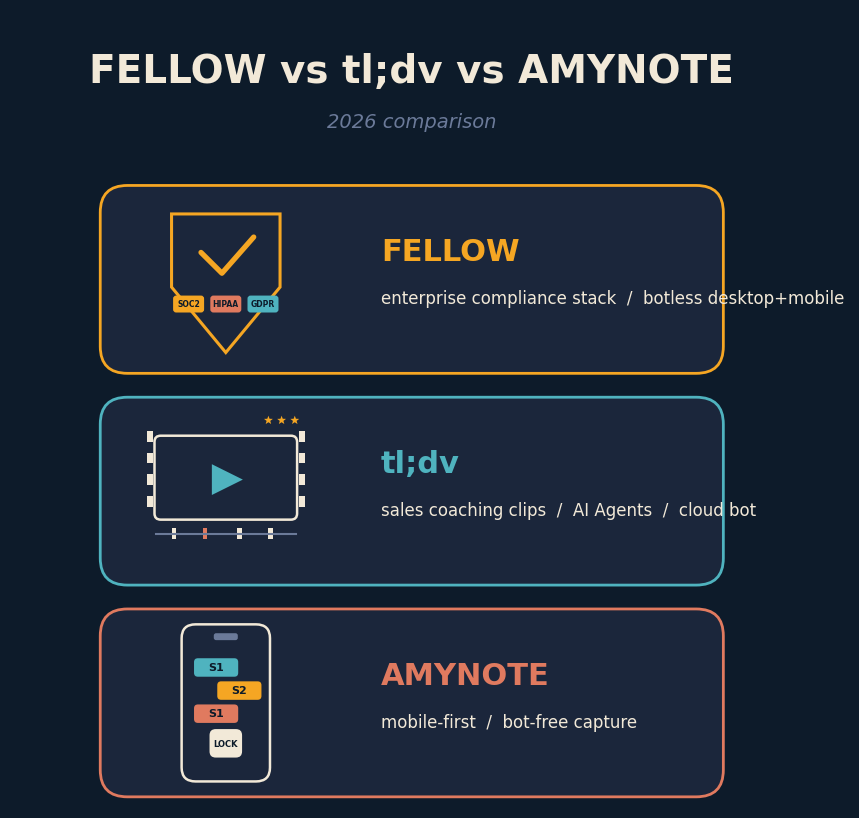
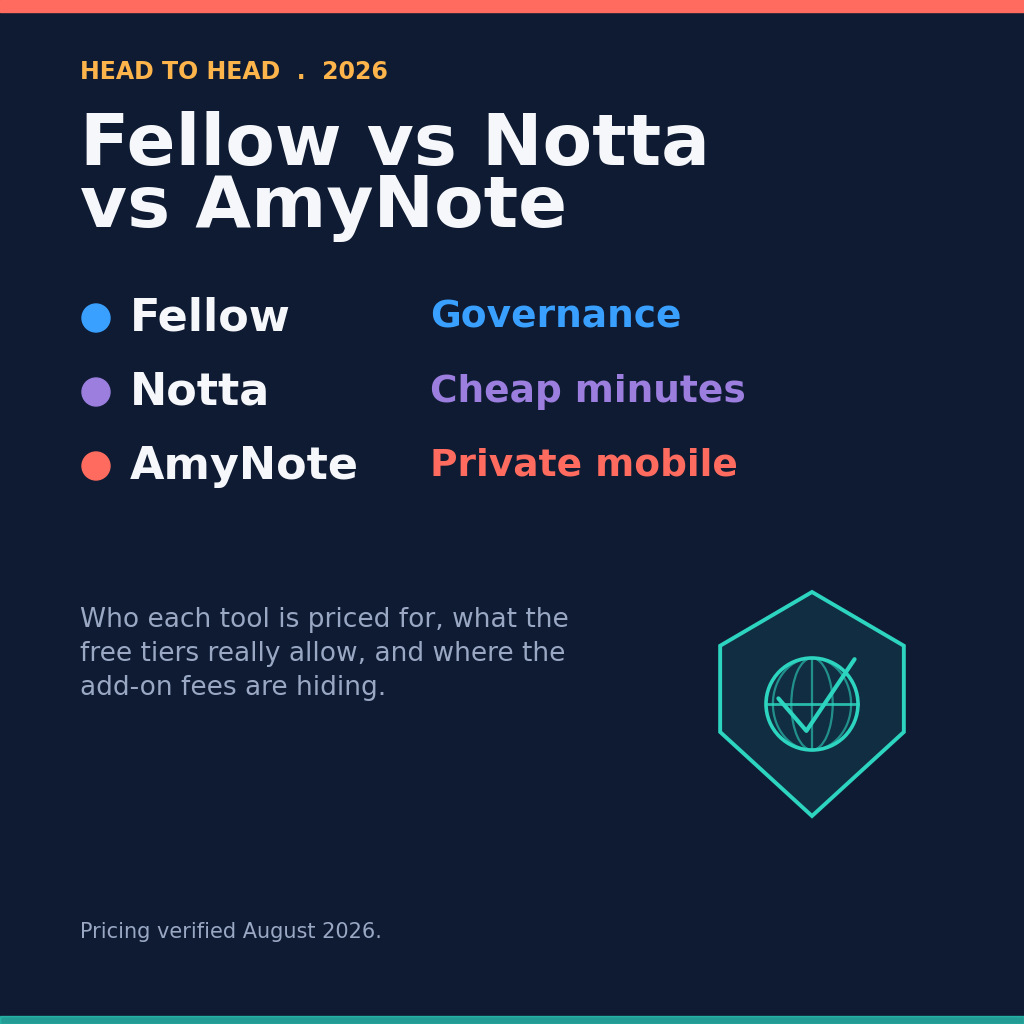
Fellow is the governance choice. Botless recording across calls and in-person, 99 languages, and the strongest compliance stack of the three. It is also per seat, and the compliance features that justify buying it are locked to the top tier.
Notta is the cheap-minutes choice. Pro is 8.17 USD per month on annual billing for 1,800 minutes, which is the lowest real cost here. Translation is not included in that price.
AmyNote is the private mobile choice. Flat account pricing, 140+ transcription languages with translation into 100+, transcripts stored on the device. It is iOS only and has no CRM, which disqualifies it for a large share of buyers before anything else is considered.
What We Compared
Four things that actually change a purchase decision: what a year costs once add-ons and seats are counted, where each tool can physically record, what the free tier really allows, and where your transcripts end up sitting.
Transcription accuracy is deliberately not on that list. All three sit in the same band on clean audio, and word error rate is not what people regret after six months. What they regret is a bill that doubled when translation turned out to be an add-on, a tool that could not record the meeting that mattered, or a transcript sitting somewhere their legal team never approved. The differences here are structural, not qualitative.
Fellow: Built for the Compliance Officer
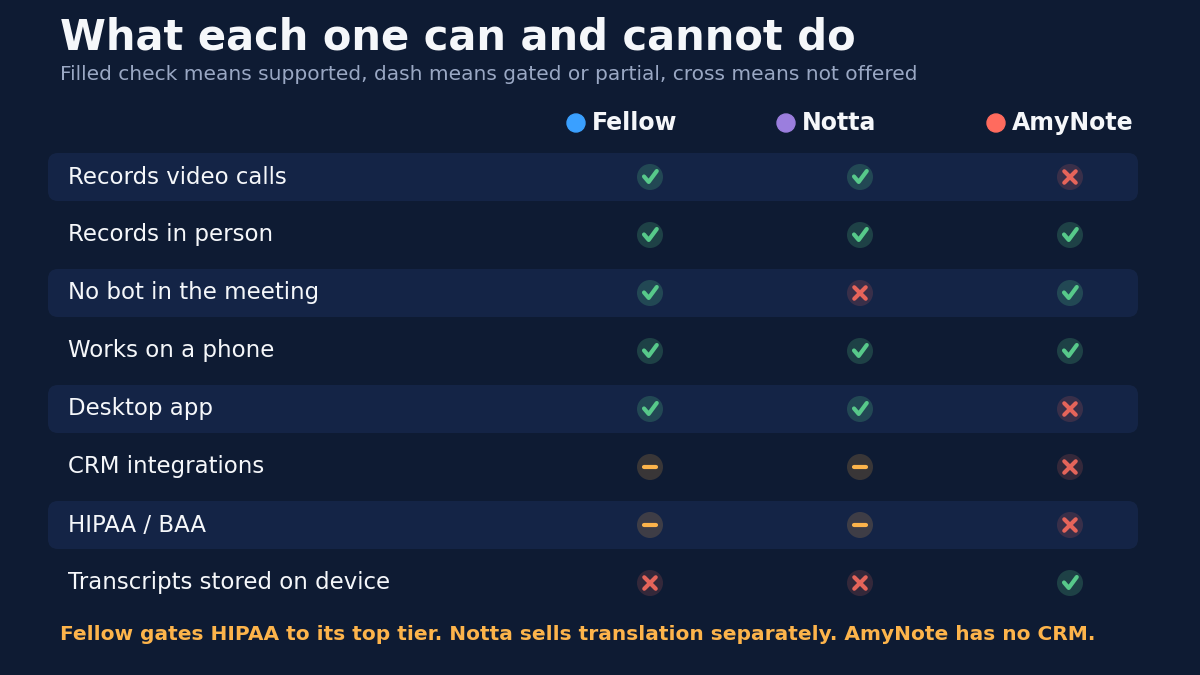
Fellow rebranded this year — fellow.app now redirects permanently to fellow.ai — and the product moved with it. It records without a bot on Mac and Windows, and its iOS and Android apps capture in-person conversations straight from a phone, with speaker diarization tuned for conference rooms. Anyone still calling Fellow a desktop-only botless tool is working from stale information. That matters, because it is the single most common outdated claim in comparison content about this category.
Strengths. Fellow is the only one of the three offering both bot-based and botless recording under a single compliance framework, which means one policy covers a video call and a hallway conversation. Transcription covers 99 languages. There is transcript redaction, mid-meeting pause and resume, an Ask Fellow agent that searches across meetings, and CRM field suggestions. For an organization that has to answer questions about where recordings live and who authorized them, nothing else here is close.
Weaknesses. Pricing is where it gets expensive, and the structure is worth reading carefully:
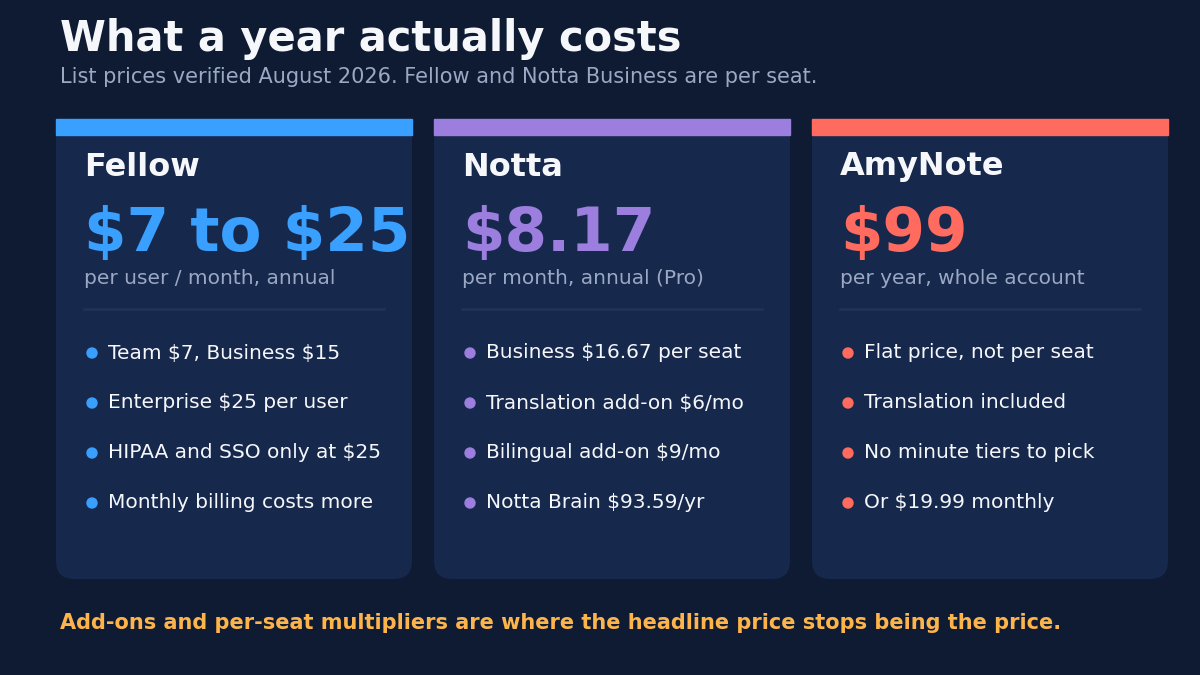
- Team is 7 USD per user per month on annual billing, 11 monthly. Ten AI notes and ten AI recordings per user per month.
- Business is 15 annual, 23 monthly. Unlimited AI notes and recordings, plus advanced Salesforce and HubSpot integration.
- Enterprise is 25 annual and starts at a 10-user minimum. HIPAA with a BAA, and SSO via Okta or OneLogin, live only here.
Read that ladder from the bottom and the trap is obvious: the compliance buyer who came for compliance pays the top price. If HIPAA coverage or single sign-on is the reason Fellow is on your shortlist, Team and Business are not options you are choosing between — they are tiers you are passing through on the way to 25 per user with a floor of ten seats. Price the thing you actually need, which is 3,000 USD a year before anyone negotiates.
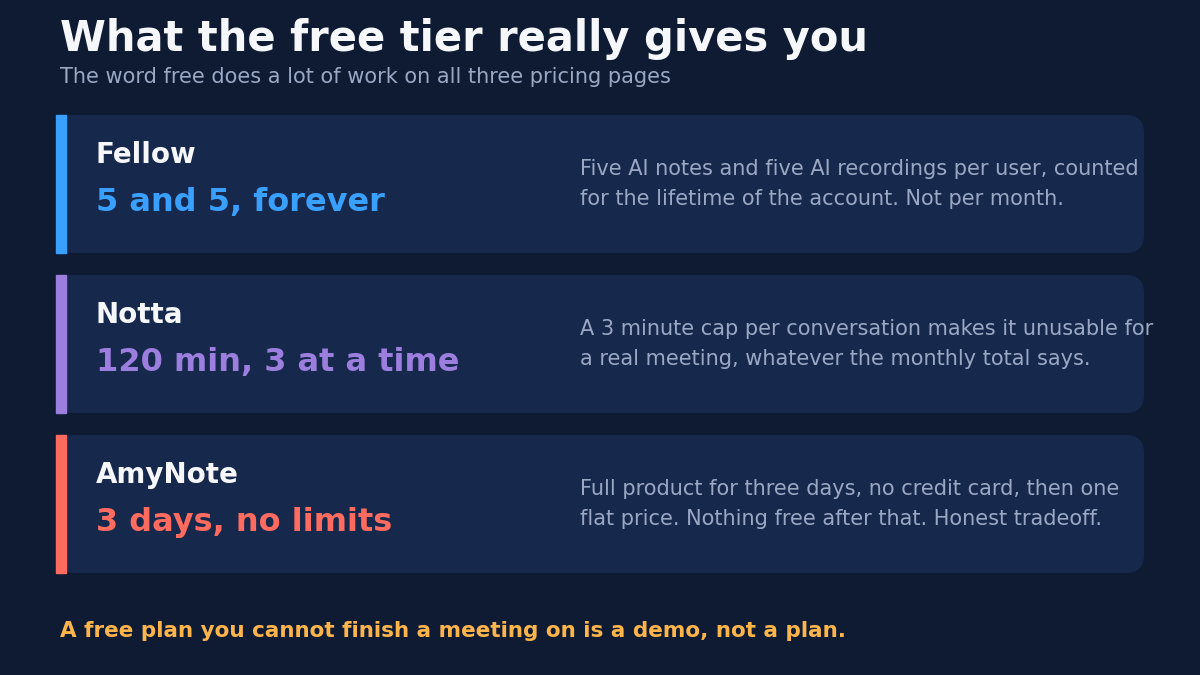
The free plan deserves its own sentence. Five AI notes and five AI recordings per user for the lifetime of the account, not per month. That is a trial wearing a different label, and it will not survive a single week of real evaluation.
Notta: The Price Leader, With Fine Print
Notta is the cheapest way to get a lot of transcription minutes in 2026. It is also the one where the advertised number and the number on your card are most likely to diverge.
Strengths. Pro costs 8.17 USD per month billed annually — 97.99 for the year — with 1,800 minutes per month and a five-hour cap per recording. Business is 16.67 per seat per month on annual billing for unlimited minutes, with Enterprise starting at 51 seats.
The multilingual feature set is the most granular of the three, and the granularity is real rather than marketing:
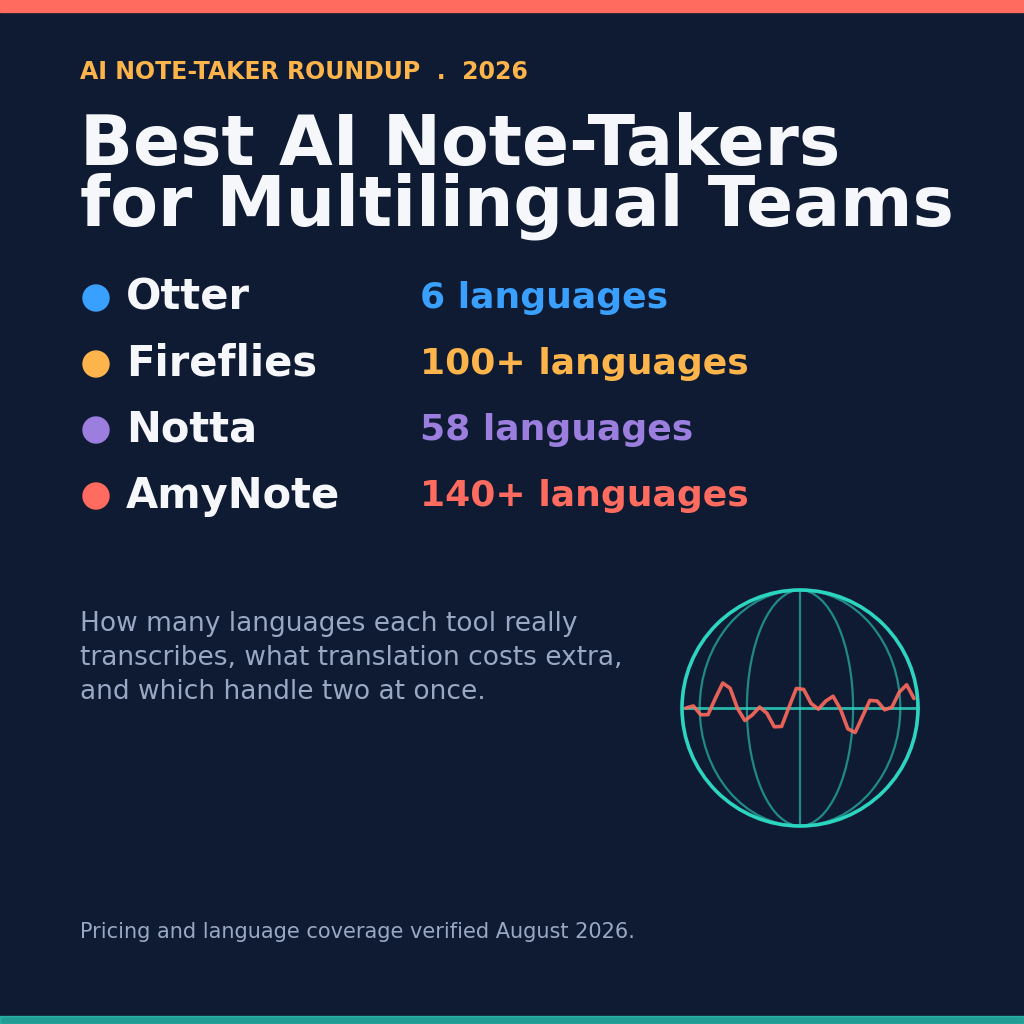
- 58 languages for monolingual transcription
- 42 languages for translation after transcription
- 36 source and 61 target languages for real-time monolingual translation
- 23 languages for true bilingual transcription, where two languages run live in one conversation
Nobody else in this comparison does that last one properly. If you sit in meetings where two languages are genuinely interleaved — not one language with occasional loanwords — Notta's bilingual mode is a real capability the others do not match.
Weaknesses. Translation is a paid add-on stacked on the subscription, not part of it. Monolingual translation is 6 USD per month annually and 10 monthly, capped at 100 uses per month on Pro and Business. Bilingual transcription and translation is 9 annual and 15 monthly, at 200 uses. Notta Brain, the AI analysis layer, is 93.59 per year for 8,000 monthly credits.
Do the arithmetic that the pricing page does not do for you. A bilingual consultant on Pro realistically pays around 17 USD per month once the add-on lands — roughly double the advertised 8.17. That is still competitive. It is just not the number that got them to the page.
Two other things to know. The "100+ languages" figure that still circulates in older comparisons is stale; 58 is the accurate monolingual number today. And meeting capture is bot-based, so participants see a bot join the call — which is fine for an internal standup and a problem for a candidate interview or a sensitive client conversation.
The free plan allows 120 minutes per month but caps each conversation at three minutes. A free plan you cannot finish a meeting on is a demo, not a plan.
AmyNote: Deliberately Narrow
AmyNote is the narrowest product here, and the narrowness is the point rather than a roadmap gap.
Strengths. It is a phone app with no bot and no hardware, so it records the meetings the other two struggle with: a coffee-shop conversation, a site visit, a client sitting across a desk, a walk between buildings. Transcription covers 140+ languages with translation into 100+, optimized for East Asian and Arabic — the widest coverage in this comparison. Speaker identification remembers people across sessions rather than resetting each meeting, and semantic search runs across every transcript you have recorded, so a question like "what did we agree about the pilot" is answerable without remembering which meeting it happened in.
Pricing is flat and account-based rather than per seat: 12.99 USD per week, 19.99 per month, or 99 per year, with a three-day trial that has no feature limits and requires no credit card. Translation is included rather than sold separately, which is the single biggest structural difference from Notta.
On privacy, transcription runs on OpenAI's Speech API and analysis on Anthropic's Claude Opus. Both providers contractually guarantee zero training on user data. Audio is encrypted in transit and not retained after processing. Transcripts are stored locally on the device with end-to-end encryption — the only tool of the three where that is true.
Weaknesses. These are real and worth stating plainly, because they eliminate AmyNote for a lot of readers and they should:
- iOS only. No Android app, no desktop app. For most companies this ends the conversation immediately, before any feature comparison begins.
- No video recording of any kind.
- No CRM integrations. A sales team that needs call notes landing in Salesforce is not a customer.
- No team or enterprise layer. No SSO, no admin console, no BAA, no per-seat management.
- Small brand next to the other two, which matters in a procurement review whether or not it should.
What the Free Tiers Actually Give You
All three have something labeled free, and all three mean something different by it. This is the fastest way to waste two weeks of evaluation, so it is worth being precise.
| Tool | What "free" means | What it is good for |
|---|---|---|
| Fellow | 5 AI notes + 5 AI recordings per user, for the lifetime of the account | One afternoon of testing, then you are done |
| Notta | 120 minutes per month, capped at 3 minutes per conversation | Voice memos; not a real meeting |
| AmyNote | 3 days, full product, no credit card — then paid | Actually testing it on your real week |
Side by Side
- Cheapest real annual cost for one person: AmyNote at 99 flat. Notta Pro at 97.99 is nearly identical until translation is added.
- Cheapest for a team of ten: Fellow Team at 7 per user, roughly 840 per year, and the only one here actually built for ten people.
- Best free tier: none. Fellow gives five recordings ever, Notta caps conversations at three minutes, AmyNote gives three unlimited days.
- Records in-person without a bot: Fellow and AmyNote. Notta uses a bot for meetings.
- Most languages transcribed: AmyNote at 140+, then Fellow at 99, then Notta at 58.
- Only true bilingual mode: Notta, at 23 languages, for an extra fee.
- HIPAA and SSO: Fellow Enterprise only. Neither Notta nor AmyNote offers a BAA.
- Transcripts stored on your device: AmyNote only. Fellow and Notta are cloud-first.
How to Decide in Ten Minutes
Most of this decision collapses to three questions, asked in order. Answer them honestly and the shortlist writes itself.
- Does someone have to sign off on where recordings live? If yes, you are buying Fellow, and you are buying Enterprise. Everything else on this page is a distraction, because HIPAA and SSO do not exist below that tier and a tool without them will not clear review.
- Do your meetings happen on a screen or in a room? If they happen on video calls, Fellow and Notta both work and the choice is budget versus governance. If the conversations that matter happen across a desk or on a walk, a bot cannot attend them, and you are choosing between Fellow's mobile apps and AmyNote.
- Is translation a feature or the product? If you need two languages live in one conversation, Notta's bilingual mode is the only real answer — budget the add-on from day one. If you need broad language coverage without live interleaving, AmyNote includes it at a flat price.
The Bottom Line
If you have a compliance officer, buy Fellow and budget for Enterprise, because the tier below it does not include the thing you came for.
If you run bilingual meetings on video calls and want the lowest bill, buy Notta with the bilingual add-on — then compare the real total rather than the headline price, because the two are not the same number.
If your meetings happen in rooms rather than on calls, if you want transcripts on your own device instead of someone's cloud, and if you are on an iPhone, AmyNote is built for exactly that and nothing else. Three days free at amynote.app, no credit card, one flat price, no seats to count.
Pick the one whose limitations you can live with. That is what this decision actually is — not which tool is best, but which set of tradeoffs you will still be comfortable with in six months.
Originally published as an X Article by @AmyNoteApp.