A consultant runs fifteen client meetings a week. Some of them are video calls, and those are the easy ones. But the meetings that decide the engagement happen across a table: a scoping session in the client's office, a stakeholder interview on the factory floor, a working lunch where the real requirements finally surface after an hour of polite generalities.
Those conversations are confidential by default. Some of them are not in English. And none of them should be interrupted by a bot that announces a third party has joined the call. The right note-taker for a consultant is not the one with the longest feature list. It is the one that captures the room without putting the relationship at risk. Here are four tools built on four different assumptions, with pricing verified in August 2026.
Quick Verdict
Pick Otter if your work lives in scheduled video calls and you want the most accurate clean-audio transcript in the business.
Pick Fireflies if you want a searchable team knowledge base and CRM sync across every call your firm records.
Pick Granola if you take your own notes at a laptop and just want AI to clean them up, bot-free.
Pick AmyNote if your important conversations happen in person, span more than one language, and cannot be handed to a vendor that trains on them.
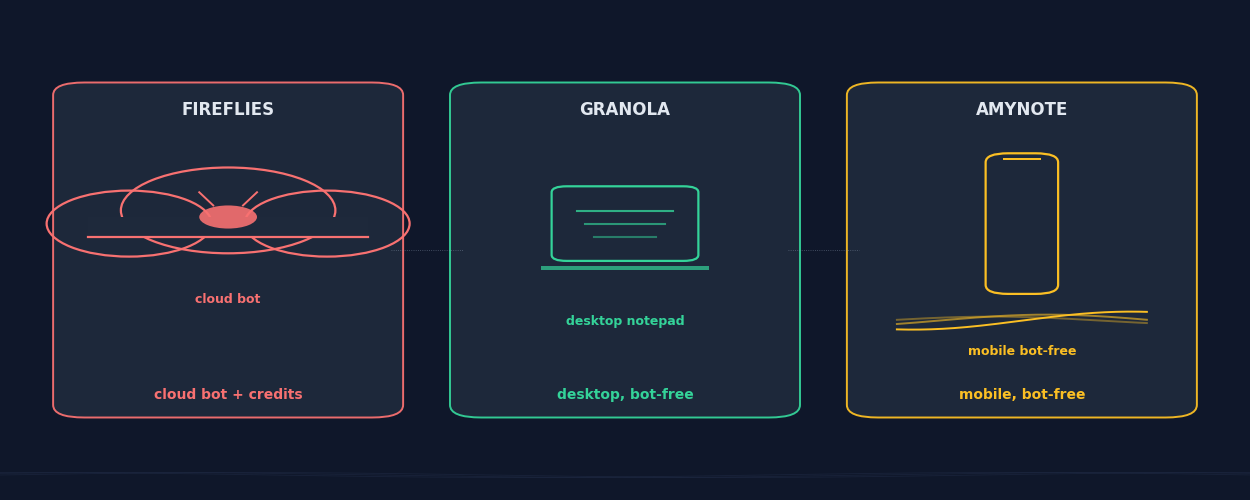
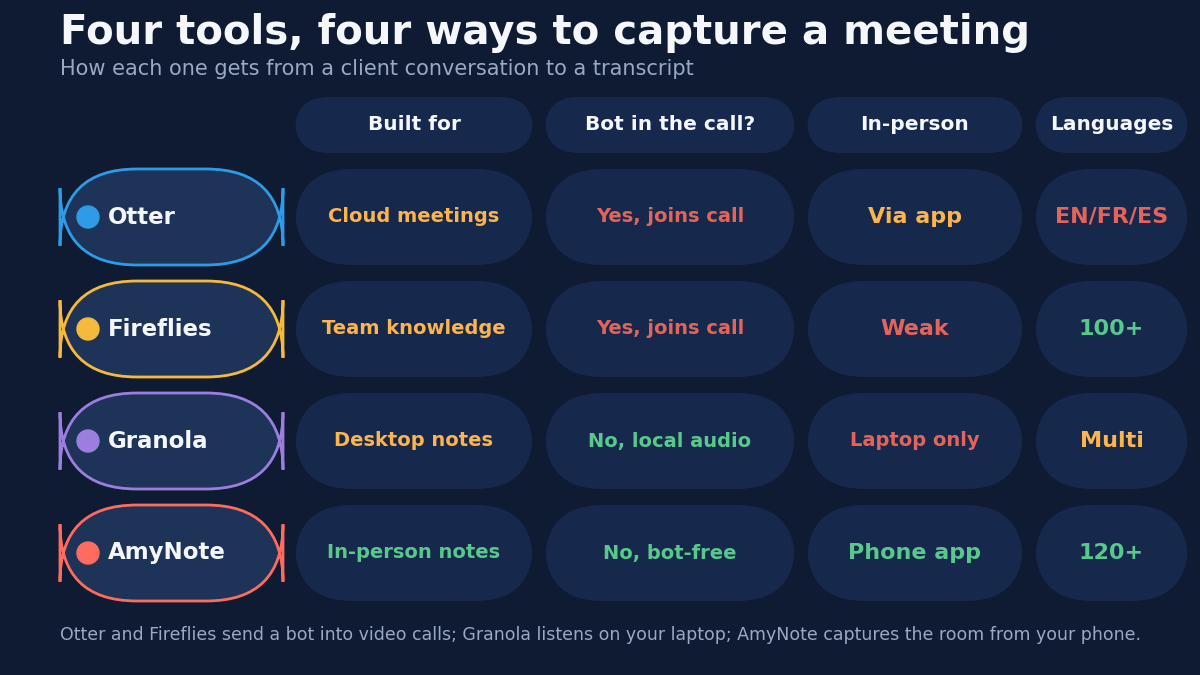
The short version: Otter and Fireflies are cloud bots for video meetings, Granola is a bot-free desktop notepad, and AmyNote is a phone-first tool for the in-person, multilingual, confidential conversations that fill a consultant's week.
What Consultants Actually Need
A consultant's requirements are not a sales team's. A sales rep wants deal coaching, talk-time ratios, and a CRM record of every call. A consultant wants something plainer: an accurate account of what a client actually asked for, in a form nobody else can read.
That narrows to four questions. Can it capture an in-person meeting? Does it put a bot in front of the client? Does it handle the languages your clients speak? And who touches the recording afterward?
The fourth question is the one most roundups skip, and for consulting work it is the whole job. Multi-client confidentiality is not a preference — it is the terms of your engagement letter. A tool that trains on one client's conversation is a tool you cannot use with the next. Worse, it is a tool you would have to disclose if a client asked the right question in a security review, and "de-identified data may be used to improve our models unless you opt out" is not an answer that survives that conversation.
So we weighed each option on capture model, real pricing, language coverage, and default data policy — with emphasis on default, because a privacy setting buried three tiers up is not a privacy policy your whole team will actually have switched on.
Otter: Strengths and Weaknesses
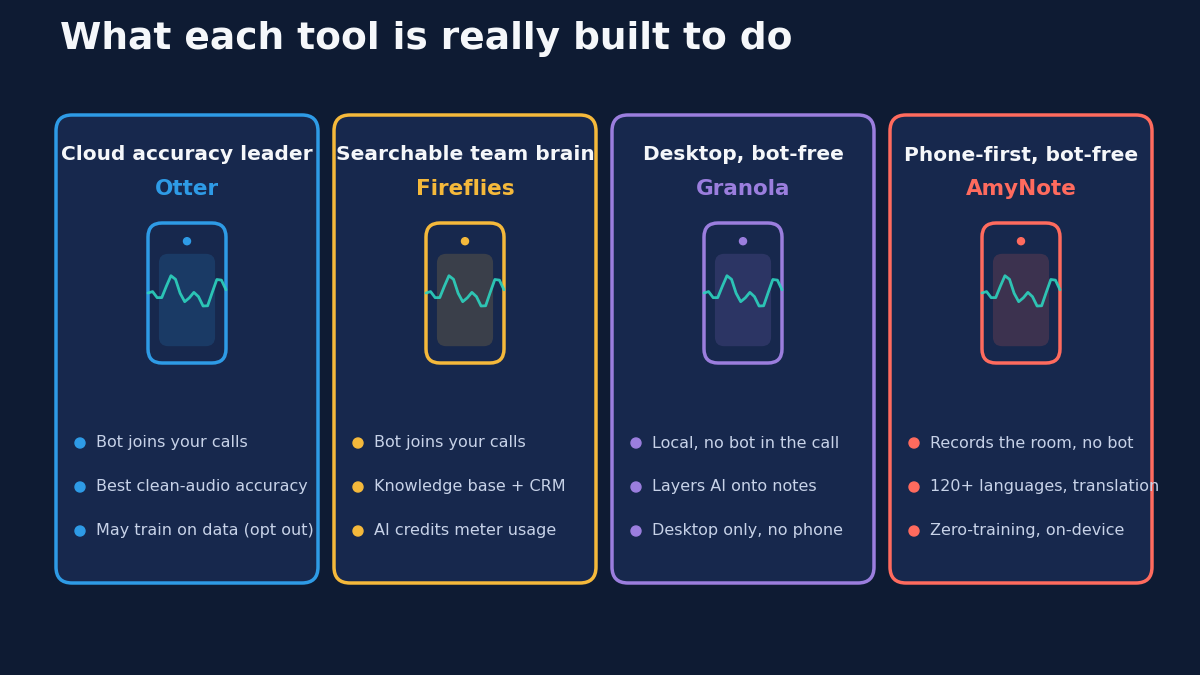
Otter is the accuracy leader. Its OtterPilot bot joins a Zoom, Meet, or Teams call, transcribes in real time, and produces clean notes with live speaker labels and an AI chat you can query across past transcripts. For back-to-back video calls with clear audio, nothing reads better.
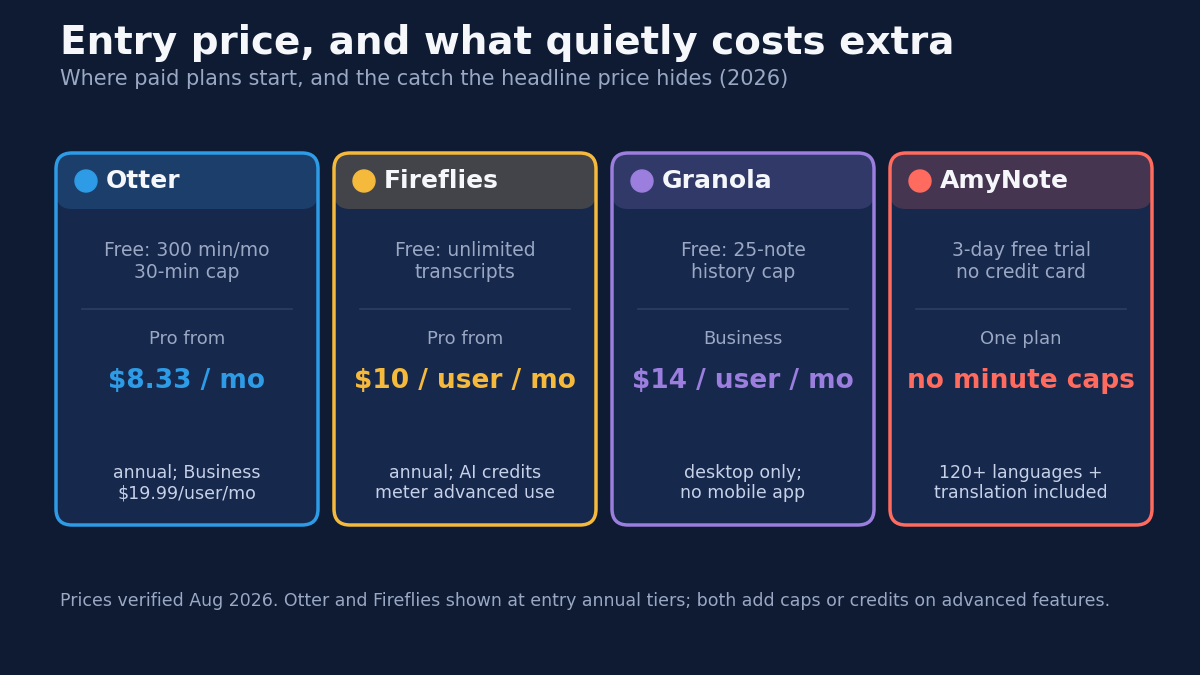
Strengths. Best-in-class transcription accuracy on clean audio, real-time collaborative notes, and AI Chat across your transcript history. A free tier gives 300 minutes a month to test it, which is enough to form a real opinion before paying.
Weaknesses. The free tier caps individual conversations at 30 minutes, which is shorter than most client meetings worth transcribing. Paid Pro runs $8.33 per user per month on annual billing (or $16.99 monthly) with a 1,200-minute cap; Business is $19.99 per user per month annual ($30 monthly). Language coverage is narrow — effectively English, French, and Spanish — which rules it out for many international engagements. It is also a cloud bot: recordings live on Otter's servers, and de-identified data can be used to improve its models unless you opt out. For confidential client work, that default matters more than the accuracy advantage.
Fireflies: Strengths and Weaknesses
Fireflies is built to be a firm's shared memory. Its bot joins your calls, and everything it captures becomes searchable through AskFred, tagged by topic, and synced into your CRM. For a consultancy that wants every engagement's calls in one queryable place — so a new team member can catch up on eight months of client history in an afternoon — that is the draw.
Strengths. A genuine knowledge base with AI search across all meetings, 100-plus language transcription, CRM sync, and conversation intelligence like talk-time and topic tracking. The free tier includes unlimited transcription, which is unusually generous.
Weaknesses. Pro is $10 per user per month annual ($18 monthly) and Business is $19 ($29 monthly), with Enterprise at $39, but the pricing that matters is metered: advanced AI features run on monthly credits, so heavy use pushes you up a tier rather than simply costing more minutes. Like Otter, it records with a visible bot and stores everything in the cloud — the opposite of discreet in a sensitive client meeting. And the whole product is designed around video calls, not the conversation in a client's office. A firm-wide knowledge base that is missing every in-person session is a partial memory, and the missing part is usually the important part.
Granola: Strengths and Weaknesses
Granola took the boldest privacy stance of the mainstream tools: no bot at all. It runs as a desktop app, listens to your computer's own audio, and layers AI-cleaned notes on top of the notes you type yourself. Nobody on the call sees a recorder join, and the workflow respects the fact that a consultant is already taking notes.
Strengths. Bot-free capture, a genuinely useful "enhance my own notes" workflow, Granola Chat, and integrations with Notion, HubSpot, Slack, and Zapier. Business is $14 per user per month, with a free tier capped at 25 notes of history.
Weaknesses. Granola is desktop only, on Mac and Windows. There is no mobile app and no web app, so the audio has to be playing on the laptop it runs on. That makes it excellent for a video call at your desk and close to useless for a meeting across a table, a site visit, or a hallway conversation — exactly where a traveling consultant does their most important work. Opening a laptop to record a client is also its own kind of announcement, just a quieter one than a bot joining. And team-wide opt-out of model training is reserved for the $35 Enterprise tier, which means the privacy posture your firm actually wants may not be the one you are paying for.
AmyNote: Strengths and Weaknesses
AmyNote starts from the meeting Granola cannot reach: the one in the room. It is a phone-first app, so the recorder is already in your pocket. No bot joins, no hardware to carry, no laptop open. It is built for the in-person, cross-language, confidential conversation, and honest about what it does not do.
Strengths. Native in-person capture on the phone you already have, 120-plus languages with real-time translation included, and cross-session Speaker ID that remembers who is who across meetings — useful when the same six stakeholders recur across a six-month engagement. Transcription runs on OpenAI's Speech API and analysis on Anthropic's Claude Opus. On privacy it is uncompromising: both OpenAI and Anthropic contractually guarantee zero training on user data, audio is encrypted in transit and not retained after processing, and transcripts are stored locally on your device with end-to-end encryption. For multi-client confidentiality, that is the standard the others make optional.
Weaknesses. Be clear-eyed: there is no desktop app, no CRM integrations, and no video-call recording. If your day is wall-to-wall Zoom inside a CRM, Otter or Fireflies fit better and it is not close. AmyNote is also a younger brand with no team tier yet, so a twenty-person practice cannot centrally administer it the way it would administer Fireflies. It does one thing — in-person multilingual capture with privacy by default — and leaves the video-bot workflow to others.
Side-by-Side
| Otter | Fireflies | Granola | AmyNote | |
|---|---|---|---|---|
| Capture model | Bot joins video calls | Bot joins video calls | Bot-free, laptop audio | Bot-free phone capture |
| In-person meetings | Awkward | Awkward | Laptop only | Built for it |
| Entry price | $8.33/user/mo annual | $10/user/mo annual | $14/user/mo | One plan, no minute caps |
| Languages | EN / FR / ES | 100+ | Multiple | 120+ with translation |
| Default data policy | Cloud storage; model use unless opted out | Cloud storage; model use unless opted out | Local; team opt-out at Enterprise | Zero-training guarantee; local encrypted storage |
Read that table down the last row rather than across. Everything above it is a feature comparison you could rerun next quarter and get a different answer. The data policy is the row that determines whether the tool is usable on a client engagement at all — and it is the row that changes least often.
The Bottom Line
For a consultant, the choice comes down to where your conversations actually happen. If your week is scheduled video calls and you want the cleanest transcript, Otter earns its price. If you want a searchable firm-wide record synced to your CRM, Fireflies is the pick. If you work at a laptop and want bot-free notes, Granola is a smart, minimal choice.
But if the meetings that decide your engagements happen in a room, in more than one language, with clients who assume the conversation stays private, that is the shape AmyNote at amynote.app was built for. No bot to announce, no hardware to carry, and nothing left behind in someone else's cloud. The 3-day trial with no credit card makes it cheap to test against your next scoping session.
Originally published as an X Article by @AmyNoteApp.